Small Text Generator (50+ Tiny Copy Paste Fonts)
Convert standard text into 50+ tiny Unicode styles: Small Caps (ᴀʙᴄ), Superscript (ᵃᵇᶜ), & Subscript (ₐᵦ𝒸) with instant 1-click copy.
Convert standard text into 50+ tiny Unicode styles: Small Caps (ᴀʙᴄ), Superscript (ᵃᵇᶜ), & Subscript (ₐᵦ𝒸) with instant 1-click copy.
Convert standard text into tiny mini letters with the Small Text Generator by SmallText. Generate Superscript (ˢᵐᵃˡˡ), Subscript (ₛₘₐₗₗ), and Small Caps (sᴍᴀʟʟ cᴀᴘs) fonts with 1-click copy and paste for Instagram bios, TikTok captions, Facebook posts, Discord role names, and gaming nicknames. For specialized formatting, you can also explore our dedicated Superscript Generator, Subscript Generator, Small Caps Generator, Bold Text Generator, Tiny Text Generator, and Instagram Font Generator.
Small caps convert standard lowercase characters into miniature capital glyphs (e.g., ᴀʙᴄ). Widely used in typography, book publishing, and acronyms, small caps provide a sophisticated, professional appearance for social profiles, Discord server roles, and brand handles.
Superscript letters and numbers sit slightly above the baseline at a reduced size (e.g., ᵃᵇᶜ / x²). Ideal for mathematical exponents, copyright indicators, and minimalist aesthetic bios on Instagram and TikTok.
Subscript characters sit below the standard line of text (e.g., ₐᵦ𝒸 / H₂O). Primarily designed for chemical formulas and scientific notation, subscript is also popular for low-profile Discord channel names and artistic text layouts.
Beyond standard small caps and superscripts, our tool generates over 50 decorative variations including Bubble fonts, Gothic blackletter, Fraktur, Typewriter monospace, Vaporwave fullwidth, and gamer clan frames with swords, crowns, and sparkle wings.
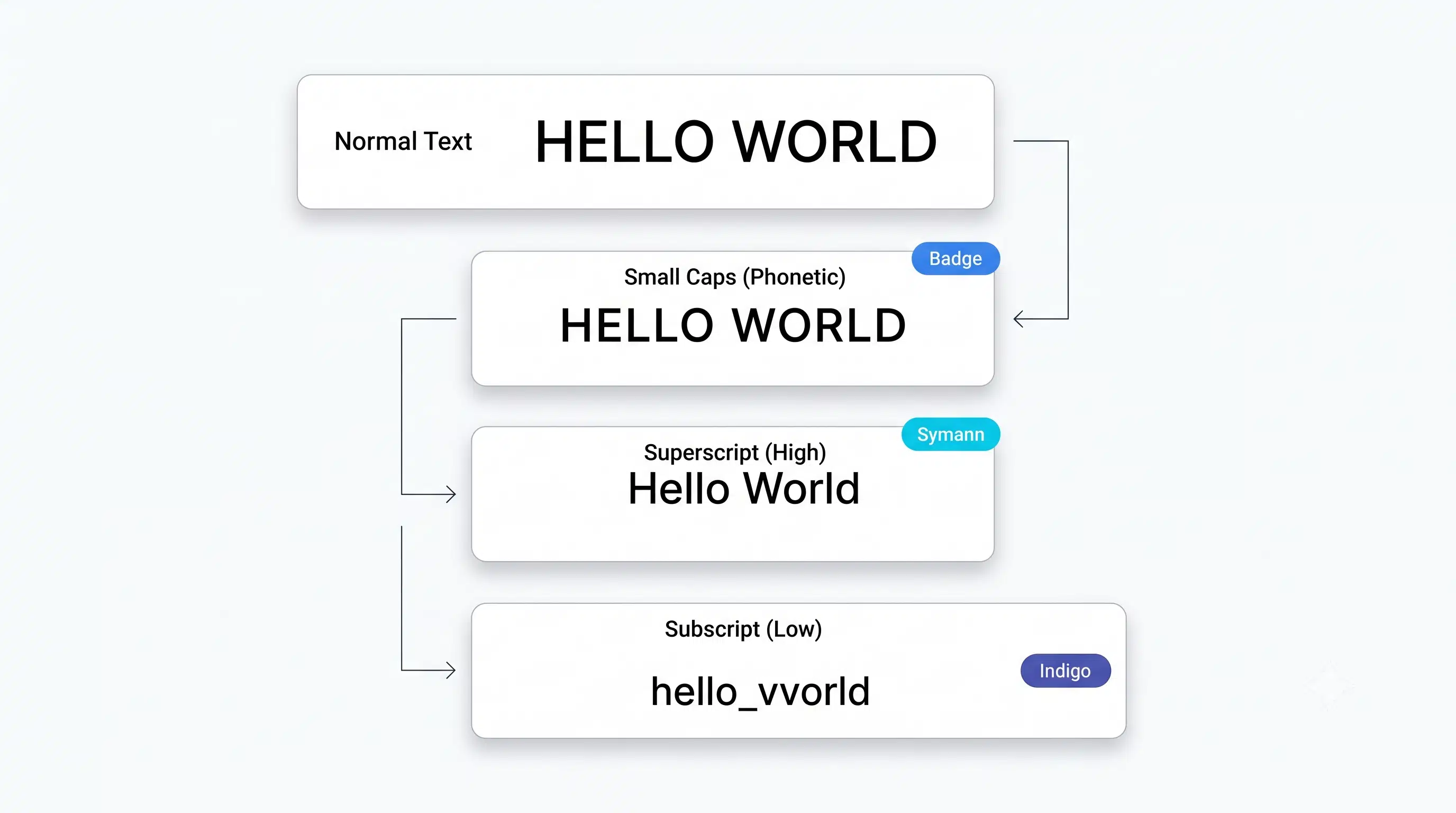
When you use a normal font (like Arial, Helvetica, or Times New Roman), the text requires specific font software
(such as .ttf or .woff2 files) installed on the viewer's device or loaded via CSS. If
the device does not have that font file, it reverts to a standard system font.
Small text is completely different. It does not use any font files. Instead, it translates ordinary English letters into standardized Unicode symbols. These characters were created by the Unicode Consortium for linguistic, mathematical, and phonetic purposes:
U+1D00 to
U+1D7F).
U+2070 to U+209F).U+1D400 to
U+1D7FF.
Because these symbols are baked into the core operating system of iPhones, Android phones, Windows PCs, and Macs, you can copy and paste them into social media bios, game chats, and messaging apps without losing their tiny formatting.
You may notice that some characters look slightly unusual in superscript or subscript. This is because the
Unicode Consortium never officially assigned small characters for every letter of the Latin alphabet. For example,
there is no official lowercase superscript q in the standard Unicode specification. To provide a
complete generator, tools use visually identical phonetic glyphs like ᑫ (Canadian Syllabics) as a
drop-in replacement.
| Small Text Style | Sample Output | Unicode Block Range | Primary Application |
|---|---|---|---|
| Superscript (High) | ˢᵐᵃˡˡ ᵗᵉˣᵗ ᵍᵉⁿᵉʳᵃᵗᵒʳ | U+2070 - U+209F | Math Exponents, Aesthetic Bios |
| Subscript (Low) | ₛₘₐₗₗ ₜₑₓₜ ₉ₑₙₑᵣₐₜₒᵣ | U+2080 - U+209C | Chemical Formulas, Subtitles |
| Small Capital Letters | sᴍᴀʟʟ ᴛᴇxᴛ ɢᴇⁿᵉʳᵃᵗᵒʳ | U+1D00 - U+1D7F | Professional Bios, Discord Roles |
| Tiny Bubble Circled | ⓢᵐᵃˡˡ ᵗᵉˣᵗ | U+24B6 - U+24E9 | Social Captions, Highlights |
Looking for a specific small character? Here is the complete Unicode character mapping for small caps, superscripts, and subscripts from A to Z:
| Letter | Small Caps | Superscript (High) | Subscript (Low) |
|---|---|---|---|
| A / a | ᴀ | ᵃ | ₐ |
| B / b | ʙ | ᵇ | ♭ |
| C / c | ᴄ | ᶜ | 𝒸 |
| D / d | ᴅ | ᵈ | ᑯ |
| E / e | ᴇ | ᵉ | ₑ |
| F / f | ғ | ᶠ | 𝒻 |
| G / g | ɢ | ᵍ | ₉ |
| H / h | ʜ | ʰ | ₕ |
| I / i | ɪ | ⁱ | ᵢ |
| J / j | ᴊ | ʲ | ⱼ |
| K / k | ᴋ | ᵏ | ₖ |
| L / l | ʟ | ˡ | ₗ |
| M / m | ᴍ | ᵐ | ₘ |
| N / n | ɴ | ⁿ | ₙ |
| O / o | ᴏ | ᵒ | ₒ |
| P / p | ᴘ | ᵖ | ₚ |
| Q / q | ǫ | ᑫ (Alt) | ૧ (Alt) |
| R / r | ʀ | ʳ | ᵣ |
| S / s | s | ˢ | ₛ |
| T / t | ᴛ | ᵗ | ₜ |
| U / u | ᴜ | ᵘ | ᵤ |
| V / v | ᴠ | ᵛ | ᵥ |
| W / w | ᴡ | ʷ | w |
| X / x | x | ˣ | ₓ |
| Y / y | ʏ | ʸ | ᵧ |
| Z / z | ᴢ | ᶻ | ₂ |
| Platform | Where It Works Best | Recommended Style | Character Limit Note |
|---|---|---|---|
| Bio, Caption First Line, Comments | Small Caps (ᴀʙᴄ) & Superscript (ᵃᵇᶜ) | Max 150 characters in bio | |
| Discord | Server Channel Names, Roles, Usernames | Small Caps (sᴍᴀʟʟ) & Subscript (ₛₘₐₗₗ) | Bypasses normal uppercase restrictions |
| TikTok | Bio, Video Captions, Story text stickers | Aesthetic Tiny Fonts & Wings | Works cleanly on iOS & Android app |
| Twitter / X | Display Name, Tweet highlights | Bold Sans Tiny & Superscript | Increases visual engagement on feeds |
| Roblox / Steam | Player Nicknames, Clan Titles | Gothic Tiny, Swords & Crown Small Caps | Check against platform word filters |
Using small text on Instagram makes your profile stand out instantly. Because Instagram bios have a strict 150-character limit, small caps and superscripts allow you to pack concise personality, hobbies, or business credentials into a clean, minimalist aesthetic layout.
Discord does not normally allow uppercase letters in standard text channel names. However, because Unicode Small Caps (like ᴄʜᴀᴛ, ʀᴜʟᴇs, ɢᴇɴᴇʀᴀʟ) are distinct phonetic symbols rather than standard Latin uppercase, Discord supports them natively. This allows server owners to design sleek, capitalized channel categories without bots.
On TikTok, visual distinction in the first three seconds drives follower retention. Adding tiny aesthetic superscript text (like ˢᵐᵃˡˡ ᵐᵒᵐᵉⁿᵗˢ) to your bio or video overlay sticker creates an elegant, trending vibe that attracts viewers across iOS and Android.
Gamers frequently combine small caps with symbols like swords (⚔️), crowns (👑), and wings (꧁༺ ༻꧂) to create unique in-game handles that stand out on leaderboards and clan tags without triggering profanity filters.
Click and copy these pre-designed small text combinations directly into your profiles:
✨ ˢᵐᵃˡˡ ᵐᵒᵐᵉⁿᵗˢ • ᵇⁱᵍ ᵈʳᵉᵃᵐˢ ✨꧁༺ ˢᵐᵃˡˡ ᵏⁱˡˡᵉʳ ༻꧂👑 ᴛɪɴʏ ǫᴜᴇᴇɴ 👑【 ˢᵐᵃˡˡ ʷᵒʳˡᵈ 】⚔️ ᴛɪɴʏ ᴡᴀʀʀɪᴏʀ ⚔️🌸 ᵃᵉˢᵗʰᵉᵗⁱᶜ ˢᵒᵘˡ 🌸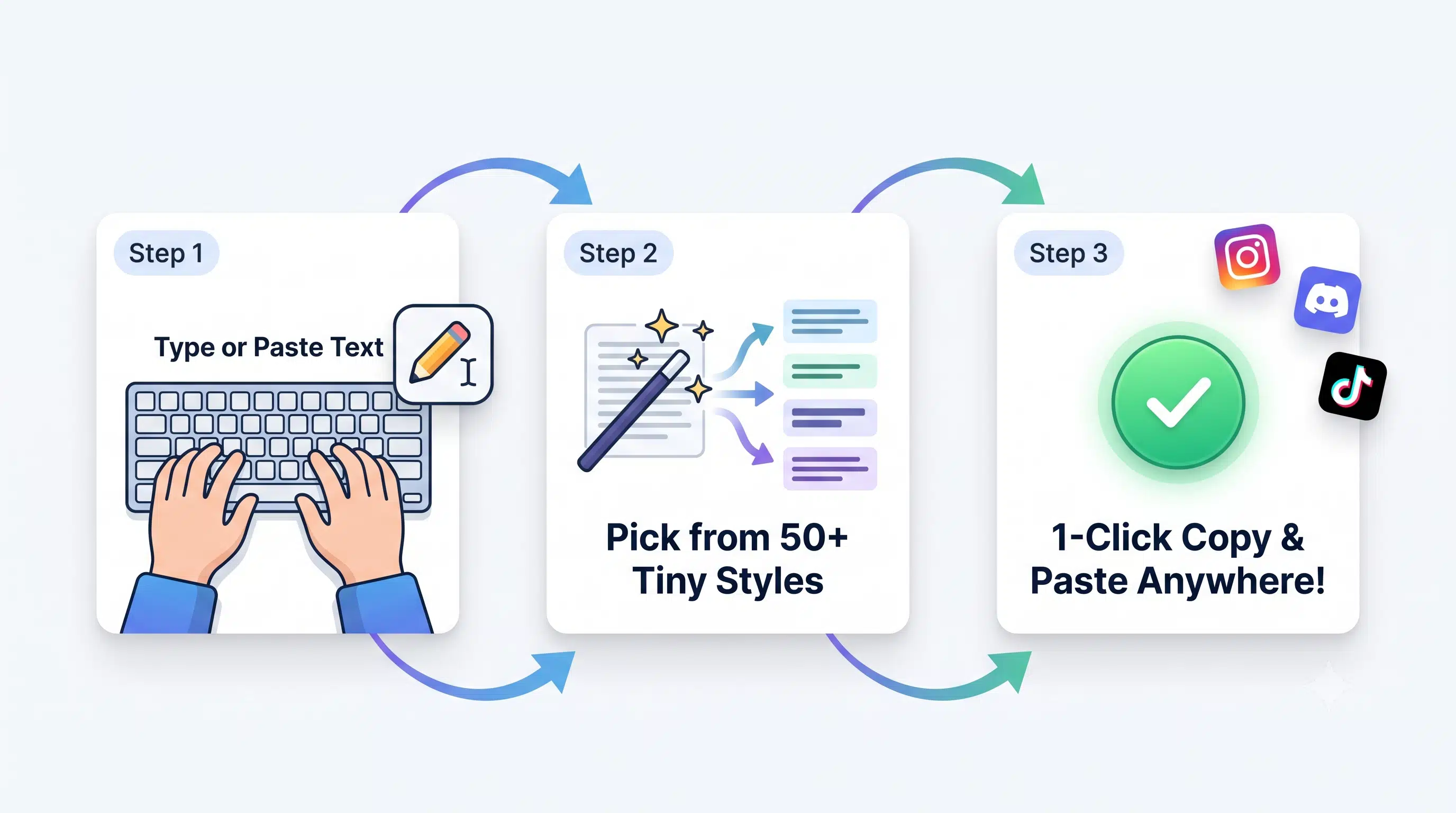
Ctrl + V or long-press paste on mobile) directly into Instagram, TikTok, Discord, Roblox,
or WhatsApp!Generating small text is instant and requires no software download. Our tool uses the Unicode character standard to map every standard letter you type to its tiny Unicode equivalent. Type any word, sentence, or phrase into the input box and the generator instantly produces small caps (ᴀʙᴄ), superscript (ᵃᵇᶜ), subscript (ₐᵦ𝒸), tiny letters, bubble text, and 50+ other miniature styles — all copy-paste ready.
Small text letters are individual Unicode characters, not stylized fonts. Each standard Latin alphabet letter (A–Z, a–z) has a corresponding tiny Unicode symbol in the Phonetic Extensions, Mathematical Alphanumeric Symbols, and Superscript & Subscript Unicode blocks. These tiny alphabet characters render identically on iOS, Android, Windows, macOS, and Linux — because they are universal Unicode code points, not device-specific fonts.
Paste small Unicode text directly into your Facebook posts and page names, Twitter/X display names and bios, Tumblr blog descriptions, and YouTube channel descriptions and video titles. These platforms natively support Unicode copy-paste text without any filters or special settings required.
Our small text generator is powered entirely by the Unicode standard — the universal character encoding system used by every modern operating system, browser, and app. Unicode small text characters are stored as unique code points (such as U+1D00 for ᴀ), which means they render identically everywhere without requiring any font installation or special software.
Small caps are uppercase-shaped letters rendered at x-height — the height of lowercase letters. Examples: ᴀ ʙ ᴄ ᴅ ᴇ ꜰ ɢ ʜ ɪ ᴊ ᴋ ʟ ᴍ ɴ ᴏ ᴘ ǫ ʀ ꜱ ᴛ ᴜ ᴠ ᴡ x ʏ ᴢ. Small caps are widely used for aesthetic Instagram bios, Discord usernames, and elegant typographic headings where full capitals would appear too bold or aggressive.
Superscript text consists of tiny raised characters displayed above the standard text baseline. Examples: ᵃ ᵇ ᶜ ᵈ ᵉ ᶠ ᵍ ʰ ⁱ ʲ ᵏ ˡ ᵐ ⁿ ᵒ ᵖ ʳ ˢ ᵗ ᵘ ᵛ ʷ ˣ ʸ ᶻ. Superscript is used for mathematical exponents (x², y³), footnote references, and stylized Discord channel names.
Subscript text consists of tiny characters displayed below the standard text baseline. Examples: ₐ ₑ ₒ ₓ ₔ ₕ ₖ ₗ ₘ ₙ ₚ ₛ ₜ. Subscript is used for chemical formulas (H₂O, CO₂), mathematical notation, and creative social media styling where the lowered text adds a unique visual effect.
Reddit fully supports Unicode small text in post titles, comments, and user flairs. Use superscript tiny text for footnote-style commentary or small caps for stylized emphasis in subreddit discussions. Small text is especially popular on r/teenagers, r/AskReddit, r/discordapp, and r/Instagram communities for creative bio and username styling.
Tiny letters are miniature Unicode alphabet characters that you can copy and paste anywhere — social media bios, chat messages, game usernames, and more. Unlike custom fonts that require installation, tiny Unicode letters are built into every modern device. Simply generate your tiny letters using our tool and paste them directly, with no app or download needed.
Small text generators are most popular for creating aesthetic Instagram bios, unique TikTok usernames, stylized Twitter/X display names, and decorative Facebook profile descriptions. Because Unicode tiny text is supported natively across all social media platforms, you can paste it directly into any bio, caption, or username field without any special app.
Our generator offers multiple conversion modes so you can pick the exact tiny text style that suits your platform:
The standard small text mode converts your input into miniature Unicode lowercase letters. These tiny characters are perfect for social media bios, Discord channel names, and any platform where you want compact, readable tiny text that stands out from regular typing.
Upside down text flips your characters 180 degrees using special Unicode symbols: ɐ q ɔ p ǝ ɟ ƃ ɥ ᴉ ɾ ʞ ʃ ɯ u o d b ɹ s ʇ n ʌ ʍ x ʎ z. This mode is popular for humorous social media posts and attention-grabbing profile descriptions.
Small caps text converts your letters to uppercase-shaped characters at x-height: ᴀ ʙ ᴄ ᴅ ᴇ ꜰ ɢ ʜ ɪ ᴊ ᴋ ʟ ᴍ ɴ ᴏ ᴘ ǫ ʀ ꜱ ᴛ ᴜ ᴠ ᴡ x ʏ ᴢ. Ideal for elegant, professional-looking bios and creative headings.
Bold small text uses Unicode Mathematical Bold characters to produce heavy, eye-catching tiny letters: 𝗮 𝗯 𝗰 𝗱 𝗲 𝗳 𝗴 𝗵 𝗶 𝗷 𝗸 𝗹 𝗺 𝗻 𝗼 𝗽 𝗾 𝗿 𝘀 𝘁 𝘂 𝘃 𝘄 𝘅 𝘆 𝘇. Bold text is used for emphasis in social media posts and gaming usernames.
Bubble text wraps each letter in a circle using enclosed Unicode alphanumerics: ⓐ ⓑ ⓒ ⓓ ⓔ ⓕ ⓖ ⓗ ⓘ ⓙ ⓚ ⓛ ⓜ ⓝ ⓞ ⓟ ⓠ ⓡ ⓢ ⓣ ⓤ ⓥ ⓦ ⓧ ⓨ ⓩ. Popular for fun captions, meme text, and playful social media bios.
Backwards text reverses your input string so it reads right-to-left. For example, "hello" becomes "olleh". This is combined with upside-down flipping for creative social posts and joke usernames that make readers do a double-take.
Our tool is built to be fast, reliable, and packed with features that make it the most complete small text solution available online:
The SmallText Generator is 100% free to use with no word limits, no character limits, and no registration required. Generate as much small text as you need, whenever you need it, with instant real-time conversion.
Our tool includes a dedicated small bold text mode using Unicode Mathematical Bold characters. This produces tiny yet visually heavy characters ideal for making important words stand out in social media bios and gaming profiles.
Using the tool is straightforward: type or paste your text → choose your preferred style → click Copy. No settings to configure, no downloads required, and no account to create. The entire workflow takes under 10 seconds from input to paste-ready output.
The generator simultaneously produces 50+ different tiny text styles from a single input — small caps, superscript, subscript, bubble text, bold, upside down, wide text, and more — all displayed at once for instant one-click copying. No app download or installation needed.
Our small text generator works on every device — desktop, laptop, tablet, and smartphone. Whether you are on Chrome, Firefox, Safari, or Edge, the tool loads instantly with full mobile responsiveness. Copy and paste works natively on both iOS and Android.
Our tiny text generator is used across a wide range of creative and functional contexts:
Use small text to create eye-catching bios, aesthetic captions, and unique profile descriptions on Instagram, Twitter/X, TikTok, Tumblr, and Facebook. Tiny superscript and small caps fonts make your profile stand out without needing any third-party app.
Create unique and memorable usernames using tiny Unicode letters on gaming platforms, streaming sites, and social apps. Small text usernames work on Roblox, Steam, Free Fire, PUBG, Discord, and most online gaming platforms that accept Unicode nicknames.
Add tiny superscript or subscript text to image captions, meme text, and creative artwork labels. Designers and content creators use small Unicode fonts to create visually distinct watermarks, labels, and aesthetic design elements.
Typography artists and graphic designers use small caps and Unicode tiny text in digital artwork, posters, and visual content. The unique shapes of superscript and phonetic extension characters add a distinctive aesthetic that standard fonts cannot replicate.
Add stylistic small caps headings or superscript annotations to your blog articles and website content. Unicode small text is fully readable by search engines and renders correctly across all major browsers including Chrome, Firefox, Safari, and Edge.
Send uniquely styled messages on WhatsApp, Telegram, iMessage, and other chat apps using tiny Unicode characters. Because these are standard Unicode symbols, they render correctly on every recipient's device regardless of their operating system or font settings.
Insert small caps and superscript text directly into Google Slides, Microsoft PowerPoint, and Keynote presentations. Use subscript numbers for chemical formulas and scientific notation in academic or professional slide decks.
Learn how to use small Unicode text across every platform with our step-by-step guides:
The complete technical guide to Unicode small text — how characters are encoded and rendered across every device.
TikTok Captions with Small TextHow to format TikTok video captions and bios using tiny Unicode fonts for maximum visual impact.
Aesthetic Bio Ideas for IntrovertsCurated small text bio templates and layout ideas for minimalist, aesthetic social media profiles.
Instagram Bio Small Text GuideStep-by-step guide to creating the perfect Instagram bio using small caps, superscript, and tiny fonts.
Small Caps vs Superscript vs SubscriptWhich tiny text style should you use? A practical comparison guide for social media, gaming, and design.
Discord Voice Channel Aesthetic NamesCreate beautiful Discord voice channel names using Unicode small caps and tiny text formatting styles.
Twitter/X Bio Small Text IdeasReady-to-copy tiny text bio templates and formatting ideas for Twitter/X profiles and display names.
Facebook Posts & Bio Small TextHow to add small Unicode text to Facebook posts, page names, and bio descriptions without any special app.
🌐 Standard References & Technical Authority:
🔗 Related Internal Font Tools & Subdomains: